


A complete sign‑in, lockdown and evacuation solution built for schools.
The sign-in and visitor management system that works directly with your school’s MIS, so you can manage the everyday with confidence and respond effectively when it matters most.

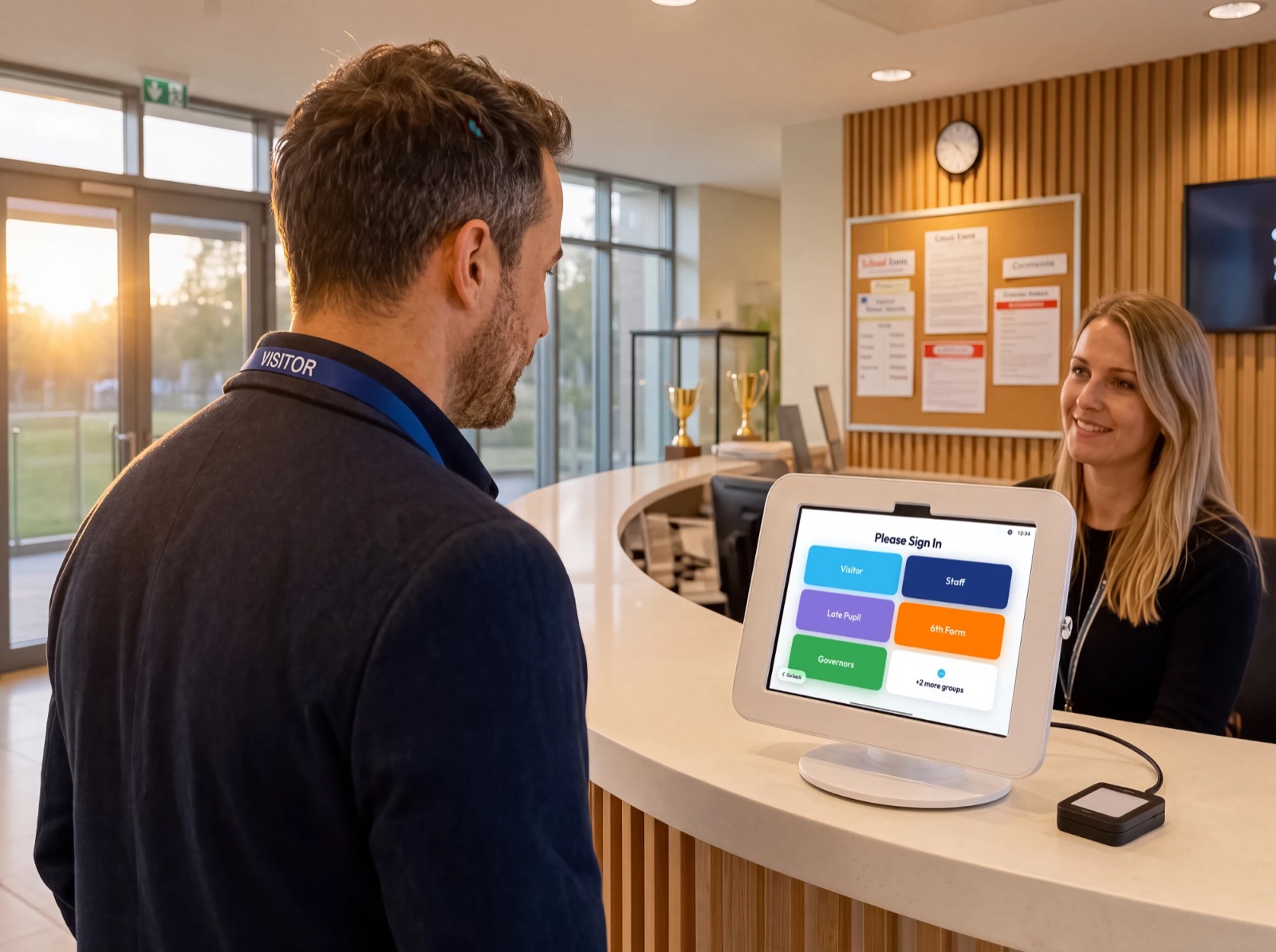

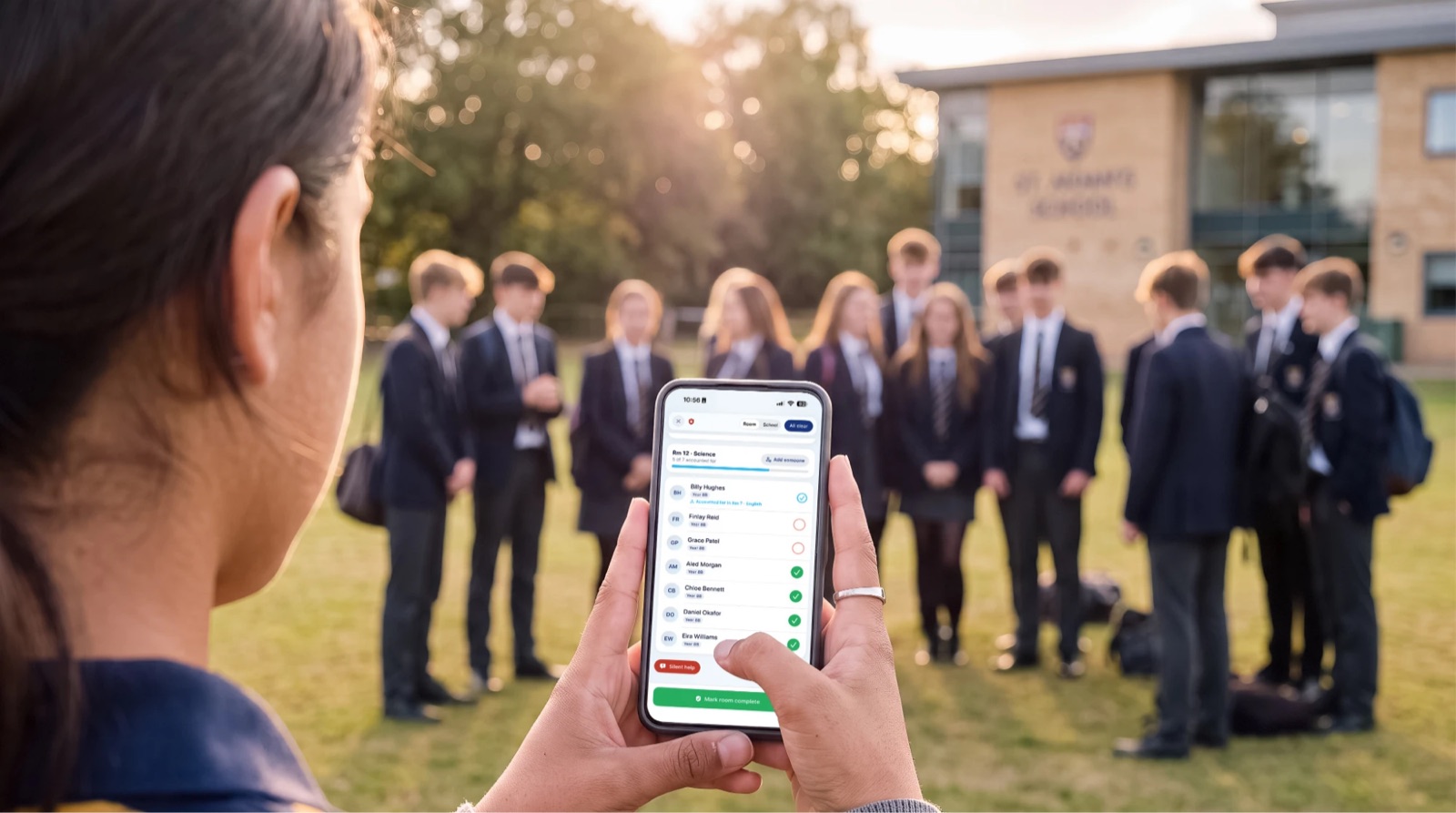
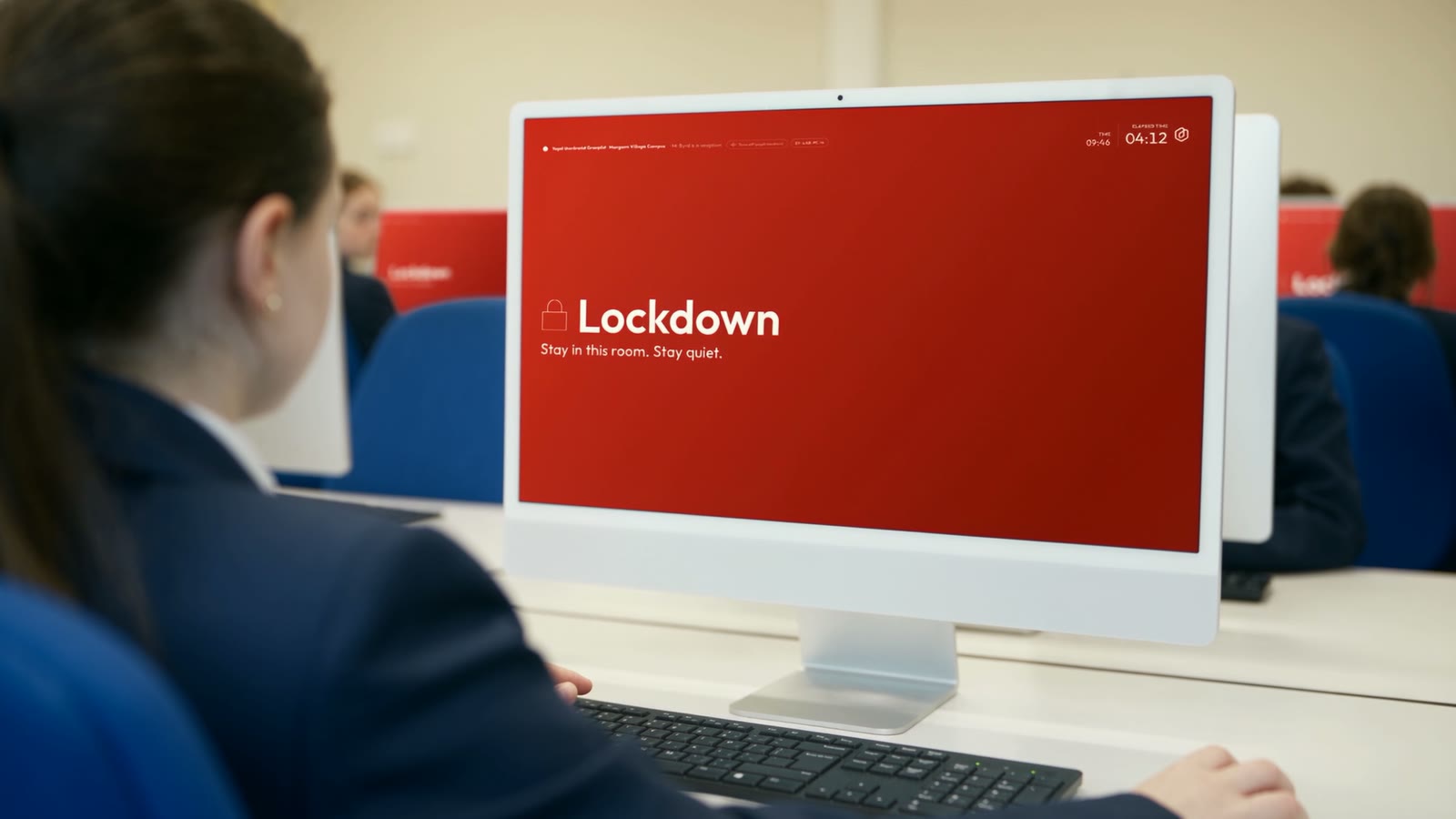
Four ways your school will use OnSite.
One platform. One log. Four jobs done well: reception, staff sign-in, evacuation and lockdown.
Front-desk kiosk for visitors, late pupils and early leavers.
- Visitors, late pupils and early leavers sign in at the desk in seconds.
- Photo capture, printed badges and policy acceptance built in.
- Late arrivals write straight back to your MIS, no double entry.
Automatic phone sign-in, accurate without the admin.
- Staff phones sign in automatically as they arrive on site.
- Location verified. The on-site list is always trustworthy.
- Face ID, swipe cards, QR and Apple Wallet badges supported.
Calm, fast roll-call when every second counts.
- Start an evacuation instantly from any authorised device.
- Multiple staff mark people safe in parallel, pupils and visitors.
- Live register shows who is safe and who is unaccounted for.
Trigger a lockdown the moment a threat appears.
- Reach everyone on every device and screen, with clear, role-specific instructions.
- Account for everyone quickly. Who is safe and where they are.
- Supports compliance with Martyn’s Law: auditable and ready for inspection.
Why schools switch to OnSite.
Every school already has a sign-in book or a kiosk. These are the four things it cannot do.
Use the doors you already have
OnSite is an approved Paxton Net2 integration. Staff and sixth formers tap the card they already carry, and because a tap is a sign-in they are on the roll call in an evacuation or lockdown without anyone typing a name.
How the Paxton integration worksBe ready for Martyn’s Law
From April 2027 every school where 200 or more people may be present needs procedures for evacuation, invacuation, lockdown and communication, a named person responsible for them, and evidence they are practised. OnSite runs the procedure and keeps the record.
Read our Martyn’s Law guideThe roll call in every pocket
Every member of staff gets the OnSite Staff app on iPhone or Android. It signs them in as they arrive, and in an evacuation or lockdown it is the roll call in their hand: start it, mark people safe, see who is still unaccounted for. Included in the price.
How the staff app worksReach every screen in a lockdown
Add OnSite Alert and every classroom PC and Mac takes over with clear instructions for that room, and staff report back from the same screen. A tannoy tells people something is happening. This tells them what to do.
About OnSite Alert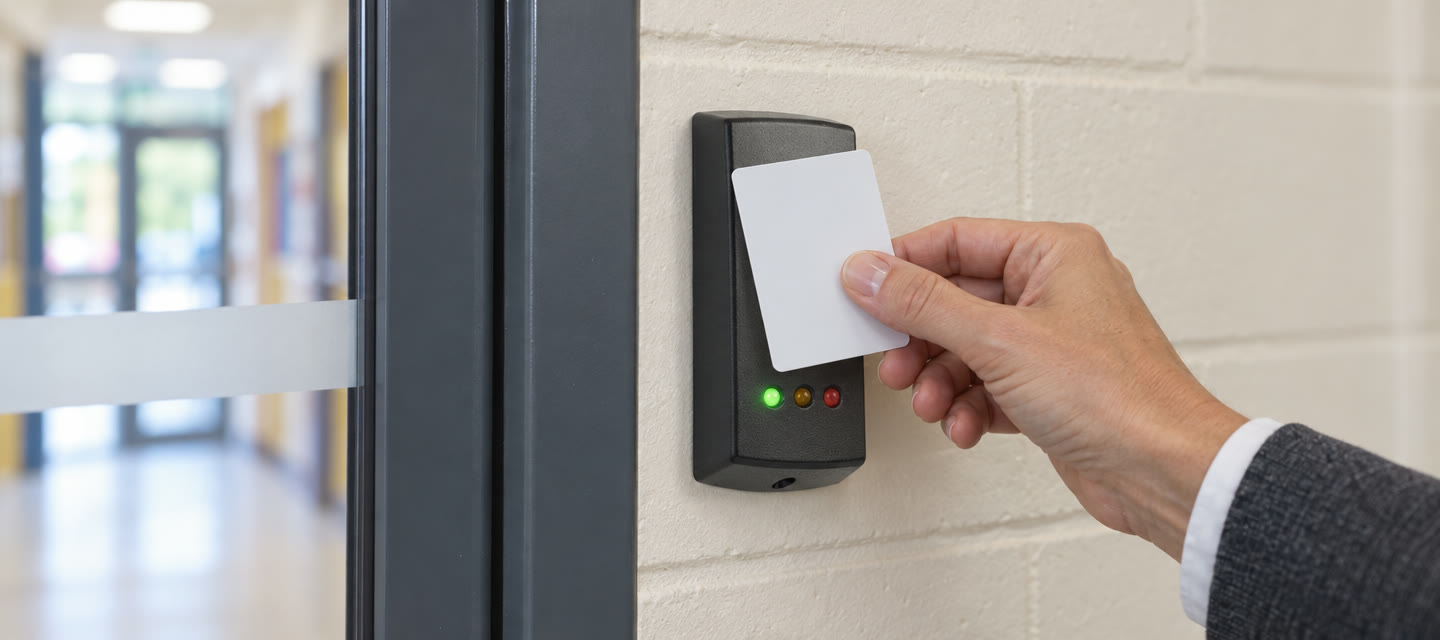
 Net2
Works with the doors you already have.
OnSite is an approved Paxton Net2 integration. Staff and sixth formers use the Paxton card they already carry, so there is nothing new to issue and nothing new to learn. Because a tap at the door is a sign-in, everyone who tapped in is on the roll call in an evacuation or lockdown, and anyone arriving mid-incident is added the moment they tap.
Starters from your MIS appear in Net2 automatically, and a leaver’s card expires on their last day rather than working for months.
- Approved Paxton Net2 integration
- The cards your school already issues
- Starters added from your MIS
- Leavers’ cards expire on their last day
- Tapped-in staff and sixth formers are on the roll call automatically
- Now supporting UniFi door access
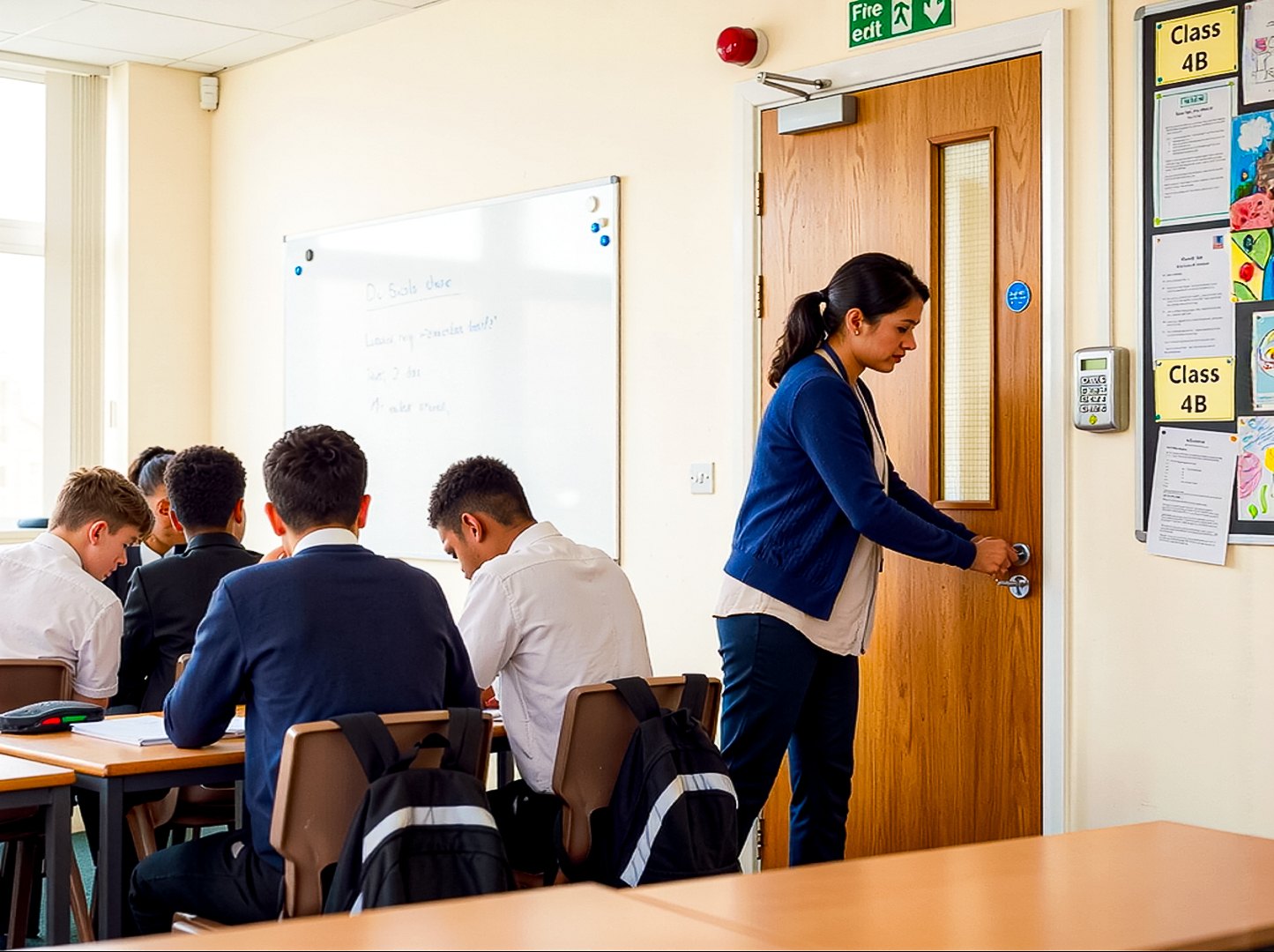
Martyn’s Law applies to your school from April 2027.
The Terrorism (Protection of Premises) Act 2025 places every school where 200 or more people may be present at standard tier, whatever its size, with a named person responsible for its evacuation, invacuation, lockdown and communication procedures.
Knowing who’s on site, acting fast when something happens, and showing afterwards what you did: that’s the everyday work the Act expects, and it’s what OnSite was built for. Every drill and every incident leaves a timestamped record for your responsible person and your inspectorate.
No software makes a school compliant on its own. OnSite runs the procedure on the phones and screens you already have, and keeps the evidence.
Read our Martyn’s Law guideYour authority or trust sees your emergency the moment it starts.
Command Centre is the OnSite screen for your local authority or trust. When you start a lockdown or an evacuation, their emergency team sees it the same second: which site, when it started, and the roll call as your staff report it.
They can message you in the incident, and take the lead so you know who is acting. They see rooms, numbers and times. They never see a pupil list, and nothing about your sign-in or your school’s ordinary day. Your staff are told the authority can read the incident messages.
Your drills count too: every one you run appears on your authority’s readiness view, so “are you prepared?” stops being a survey you have to answer. There is nothing for the school to pay and nothing changes in how you use OnSite.
About Command CentreSee it working.
Sixty seconds inside a school day, from the front door to the server room.
GroupEd OnSite
60 seconds · has sound
Works directly with your school’s MIS.
Most sign-in systems charge extra for MIS integration, or don’t offer it at all. OnSite connects with Arbor, Bromcom, SIMS and GroupEd One as standard, so late arrivals and early leavers write back automatically. No double entry. No extra charge.
- Any MIS, integrated as standard and included in the price.
- One price: no tiers, no per-pupil fee, no charge for integration.
- 40+ languages on the kiosk, reverting to your default after each visitor.




What schools say about OnSite.
-
“I really can’t overstate how much of a game changer the evacuation features will be for schools.”
 Kai MonroeNetwork Manager · Cantonian High School
-
“We moved to OnSite from a sign-in system that had stopped moving forward, and GroupEd has delivered everything it promised, from our UniFi doors working by September to our ideas appearing in the product within weeks. Helping to shape OnSite Alert, which takes over Windows and Mac screens the moment a lockdown starts, has shown us genuine innovation in school safety.”
 Richard BrownNetwork Manager · Cardiff High School
-
“With over 1,200 pupils and staff on site every day, we needed a system we could trust in an emergency. The MIS integration alone has saved our admin team hours every week.”
 Cwmbran High SchoolBusiness Manager · Cwmbran, Wales
1,200+ on site every day 3 hrs saved every week
-
“We looked at several systems and noticed hidden costs for the features we actually needed. OnSite does everything, connects straight to our MIS, and the price is refreshingly straightforward. It’s an impressive system with brilliant support.”
 Matt GilbertHeadteacher · Barry Island Primary School
Trusted by schools.





Accredited and approved



All of this, included as standard.
No tiers. Everything below comes as standard, in one log and one price.
Visitor, pupil and staff sign-in
Visitors, pupils and staff sign in and out, all in one live log.
Automatic MIS write-back
Late pupils write straight back to your MIS. Connects with Arbor, Bromcom and SIMS.
Early leaver logging
Early leaver logging that keeps your attendance accurate.
Customisable groups
Customisable sign-in groups and data fields, configured to your school.
Safeguarding built in
Photo capture, policy sign-off and a complete audit trail of everyone on site.
Secure cloud-based data
Secure, cloud-based data management. No on-site hardware needed.
Works on its own, better with GroupEd One.
OnSite runs alongside any MIS. Pair it with GroupEd One and sign-in, attendance and safeguarding share one live record, nothing typed twice.


£379 a year for a primary. £579 for a secondary. £479 a year for a primary. £879 for a secondary.
Launch price until Friday 18 December ( days left), then £479 and £879.
One flat fee for your whole school, however many visitors come through the door.
Secondary includes special schools and PRUs (pupil referral units). All prices are a year and exclude VAT.
No card, no purchase order, and nothing to cancel. Every feature is switched on, with your own private space set up the moment you sign up.
Included
- Reception, staff sign-in, evacuation and lockdown
- Software setup, onboarding and MIS integration at no charge
- No per-pupil or per-visitor charges
Add-ons
- OnSite Alert
- £229 or £449primary or secondary
- Command Centre
- Funded by the authority or trustask us about your area
The questions schools ask us.
On the law, the MIS, the price and where your data lives.
Does OnSite work with our current MIS?
Yes. OnSite connects directly to your MIS, so visitors, late arrivals and early leavers all land in one log and attendance writes straight back, no double entry. You don’t have to change your MIS to use it, and if you move to GroupEd One later, nothing about your front desk changes.
Do we have to move everything at once?
No. OnSite runs on its own, alongside whatever MIS you have today. Schools often start with OnSite because the front desk is the most visible problem, see how it goes, and move the MIS across later. Starting with one product doesn’t commit you to the rest.
How much does OnSite cost?
Our launch price is £379 +VAT a year for a primary school and £579 +VAT for a secondary, until Friday 18 December. There’s no per-pupil fee, so the price doesn’t move as your roll does, and there is no charge for setting up the software, onboarding your staff or connecting your MIS. Kiosk hardware (an iPad, a wall mount, a badge printer) is bought separately, from an OnSite partner or your own supplier, and a partner can install it for you if you’d like. Reception, staff sign-in, evacuation and lockdown are all part of the same price.
Does OnSite make us compliant with Martyn’s Law?
No software can on its own. The Act asks schools for procedures covering evacuation, invacuation, lockdown and communication, a named person responsible for them, and evidence that they are practised. OnSite runs those procedures on the phones and screens you already have, and every drill or incident leaves a timestamped record, which is what your responsible person, your inspectorate and the regulator will ask to see.
Where is our data held?
All your data is held in the United Kingdom, on Amazon Web Services in their London region. GroupEd holds Cyber Essentials and Cyber Essentials Plus, and every request is checked on our servers against who is asking and what they are allowed to see.
Is there a minimum contract?
OnSite is an annual subscription, so you are buying a school year at a time. Before that you can run the full system free for 30 days, with no card and no purchase order. Software setup is free, every OnSite feature is included, and if you ever leave we hand all your data back.